
There has been a tremendous amount of discussion world wide about some of the potential risks for young people online and plenty of dreadful stories where vulnerable young people have committed suicide, engaged in terrorist related activity or have been targeted by paedophiles. There is also a tremendous amount about the potential of the internet to support learning or even raise educational attainment although the latter is the subject of much debate. (OECD Report 2015)
Whatever the positive and negatives there are about being online it is clear that the world is not suddenly going to change - young people spend a lot of time online; its not easy to find youngsters without a mobile phone in their hand even when they are not actually making a call or sending a text. We are in a 'just in case' scenario these days - having to have the phone handy 'just in case' some critical (or trivial) bit of information arrives.
Schools have largely led the way regarding internet safety education or information literacy and some have striven to support parents and families though training sessions, e-safety days or other information hosted on the school web site. Mobile phone companies in the UK now restrict access to certain types of sites unless you can prove you are over 18 by holding a credit card. There are also bills going through the UK parliament to try to address some of the issues arising from a largely uncontrolled and ungoverned internet. (UK Online Safety Bill 2015-16)
There are some enlightened schools that have tried a different tack. I once visited a school in Quebec, Canada and discovered that they did not filter internet traffic as many schools do. the approach was to create an online experience much the same as they had at home so there was the potential for all sorts of unsavoury material appearing on web browsers etc. The school worked with its parents on the policy and the behaviours that were encouraged at school where adopted int he home. This is an approach I have never seen anywhere else. Most UK schools filter content in a highly controlled way and as a result create a safe but unrealistic experience for young people.
Such school/parental partnerships as the school in Quebec are rare and in the majority of cases the unguarded spaces are in the home. There have been numerous reports of children online in their bedroom and parents have no idea what they are doing.
Some parents use free filtering products such as K9 Web Protection or other such filter products which allow control of access on a single computer - some also have reporting back to parents.
An alternative to filtering is monitoring. Here the idea is to allow things to be viewed or to allow interaction but to know what is going on. This takes more effort but is potentially much more rewarding as it allows for discussion and debate about appropriate behaviours, the risks and how to deal with them.
Many schools have monitoring systems in place although I get the feeling that it is used as an adjunct to filtering rather than as a educative tool.
Norton Family is a product that encourages discussion within the family about the use of the internet and it allows for those agreed policies to be monitored and reported on. Everyone should ideally be involved in setting up the house rules which then governs how the internet is monitored and what is reported. The great thing is that it also works on mobile devices and tablets. It also reports if the monitor has been disabled or switched off. Norman have summerized the functions in this video - well worth considering and the basic service is free to use with paid for add-ons if they are needed.
Whatever happens to the internet over the coming years it is clear that it will become more and more intertwined with our lives and educating our children on the risks and ways to stay safe are vital. That said we need families to become more net aware and parents to take more interest in what their children are doing online - its more about share not scare i.e. making the internet part of a balanced family life rather than trying to scare our kids away from it.
The development of tools for social interaction and which foster collaboration and membership of online communities has exploded in recent years. Myspace, Flickr, Bebo etc are all sites which draw people in, share their identities and interests and then share in all sorts of ways (some not quite legal).
There are tensions in the educational world regarding such technologies. Leading advocates like Steven Downes would claim that Web 2.0 will provide massive opportunities for learning but absolutely not in the traditional school or even a school at all. Others say it is the way forward and it has a significant contribution to make to, what you might call, more formal education.
The term Learning 2.0 was coined (I guess) by those advocates of Web 2 technologies to claim the educational ground and to promote their vision of the way the future of learning should go. Learning 2.0 is really what Wikipedia would refer to as e-learning 2.0 i.e. the second generation of e-learning tools based around collaborative tools such as wikis and blogs etc.
Most innovations in learning and which have an ICT component have come and gone - remember the CD ROM? We have been through a whole raft of software and hardware systems which we have put into schools. In most cases the ones that stick are those that seem best to fit the traditional mode of teaching and learning e.g. Learning Platforms as course delivery systems or whiteboards which look a lot more interesting that black ones but still hang on a wall at one end of a room and have everyone looking at it!
The same fate may lie in wait for Web 2.0 and e-learning 2.0 if we try to fit it into the standard school setting other than to be used by a few interested people with a passion for exploring at the edges of what we still refer to as schooling.
Alan November was asked a question about the relationship between web 2 and learning 2 at a recent conference - although the audio is poor his comments are pretty realistic.
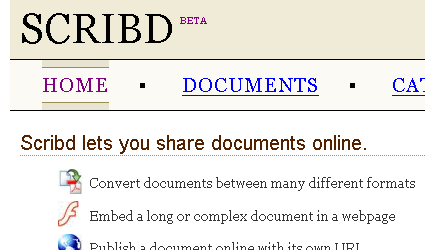
It was launched in 2006 and now has around 140,000 documents in its database. A browse of the groups contained within Scribd shows the extent of the collections with some very interesting vintage print adverts, material on Wen 2.0 and even some open text books. Trouble is that, as you might guess the adult section contains the most resources , some 17,000 making it a difficult resource to see used in schools.
Ask a student where they get most of the support for their school coursework and you might expect them to say their teachers.
489 students responded to a poll in our online learner community and they produced some interesting results.
Q. Where do you get most of your information to support your coursework?
School Intranet 1.23% (6 votes)
The Internet (Via Google etc) 51.12% (250 votes)
Teachers during lessons 37.83% (185 votes)
Online Learning Space 2.86% (14 votes)
Other Students 6.95% (34 votes)
Total number of votes: 489
The results pose some interesting questions. Should we be pleased that so many are using the web or should we be concerned that so many are turning to the web rather than their teachers? There are a number of possible reactions to this sort of information. Firstly are we actually preparing learners for the effective use of the web or do they simply decide that they can find most things they need from this source?
How many courses in schools actually teach the efficient use of the web and effective searching and citation. Many teachers say that a large number of students tend to produce the same sort of information when using the web for coursework and in some cases the teachers can actually tell which web sites students have used. Is this a good or bad thing? Are there skills that learners need to be taught and are our teachers knowledgable to teach those skills?
Loads of questions but very few answers. We are only beginning to unpick the implications of all this for education and the approriate curriculum for the 21 century learner - interesting to speculate where it is all going.


One thing that Google does not do is allow you to visualise the web, your searches or, as far as I know, use other inputs than text.
LivePlasma does a similar thing for music and film (or nearly) enter an artists name or the name of an actor and a set of dynamic links appear mapping out the interconnections between the searched for artist.
A number of search engines convert their results into a dynamic map of linked keywords. Quintura provides a map and the search results side by side. One I particularly like actually gives you rewards and more functions the better use you make of the search engine. Ujiko rewards your searching with points. With every 10 points, you move to the next level. They say that 'Your search engine is mutating, new buttons appear giving you access to advanced features (search video, images, news, encyclopedia, advanced filters, animated skins, web archive, traffic details...)'
Many educators are concerned about the way in which students seem to accept the results thrown up by Google as the ultimate truth and there are major efforts in the UK to raise the level of web literacy for students and educators alike.
Understanding what you are looking at, knowing its origin and whether the content is valid is a 21st century skill for learners of any age. We have never been in the quite the position of having to validate the sources of information they way we do now.
Many of us are used to paper based publications which have ISBN numbers, known publishers and which are subject to peer review or scrutiny by peers prior to piublication and we are often told something about the author. This is not the case for the web and search engines like Google. A colleague of mine created a situation in a school which was filmed for Teacher's TV - a UK service sharing practice and ideas within the teaching profession.
This film says it all. If the film does not run or you have difficulties you can access it here.
There are a number of Information Literacy resources available on the web and it is vital that we make kids safe, not by blocking access to things or preventing them using the web, but by providing them with the information literacy skills that they will need for the future.

 Posts
Posts


